VPS deals reader question
How to check VPS renewal pricing before checkout
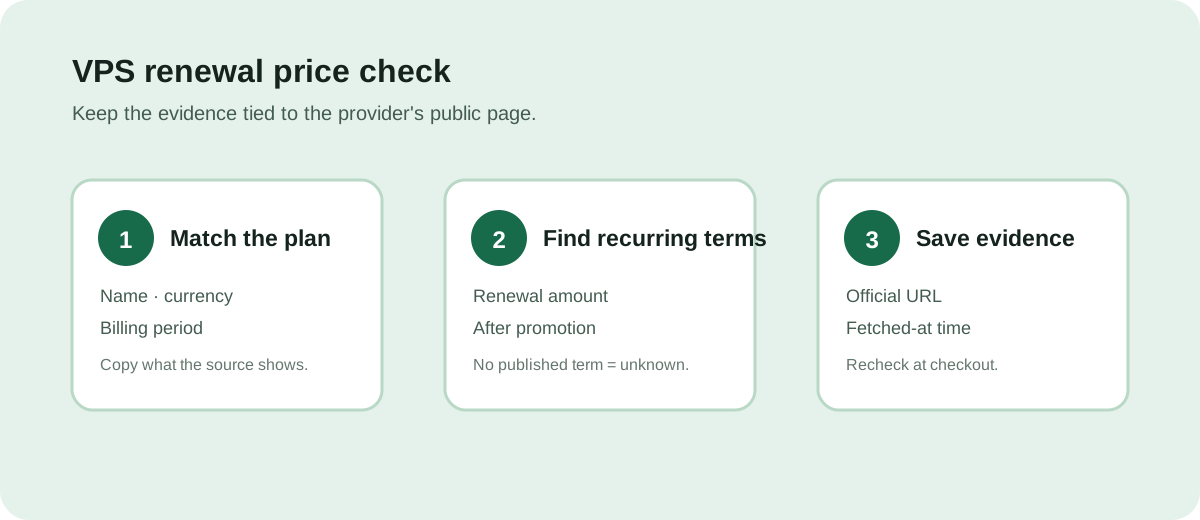
Answer: compare the headline price with the provider's own renewal or recurring-term wording on the same public page. If that wording is absent, record the renewal price as unknown and ask the provider before paying.
Three checks that leave an evidence trail
- Match the exact plan. Record the plan name, currency, and billing period shown beside the headline price. A lower monthly figure can describe a longer first term or a limited promotion.
- Find the recurring term. Look for an explicit renewal, recurring, or “after the initial term” amount in the official source. Do not calculate a renewal price from a discount percentage when the provider does not publish the resulting amount.
- Save the source and time. Keep the official URL and fetched-at time with the note. Prices and terms can change; reopen the provider page at checkout.
What this site's current records prove
The 2026-10-15 collection records the displayed price, currency, source URL, and fetched-at time for four Hostinger plans and five IONOS promotional plans. The records do not include a verified renewal-price field, so this page does not claim a renewal amount for either provider. The IONOS titles explicitly say “3-month promotion”; the amount after that period remains unknown here.
Use the unknown rule: an absent renewal term is not evidence that renewal equals the headline price. Contact the provider or read the checkout terms before ordering.
For the field-by-field source worksheet, see how to verify a VPS deal before ordering and how to compare VPS prices without assuming they are current.
Last collection attempt: 2026-10-16T03:55:02Z. Confirm current terms on the provider page before paying.