VPS deals reader question
How do I capture recurring-charge and tax evidence from a public VPS checkout?
Answer: create one evidence record with the plan, billing term, amount due today, explicit renewal amount, subtotal, tax, and total. Only copy a field when the provider exposes it. Do not turn a display “/mo” rate, a tax notice, or a first-term payment into a guessed recurring charge.
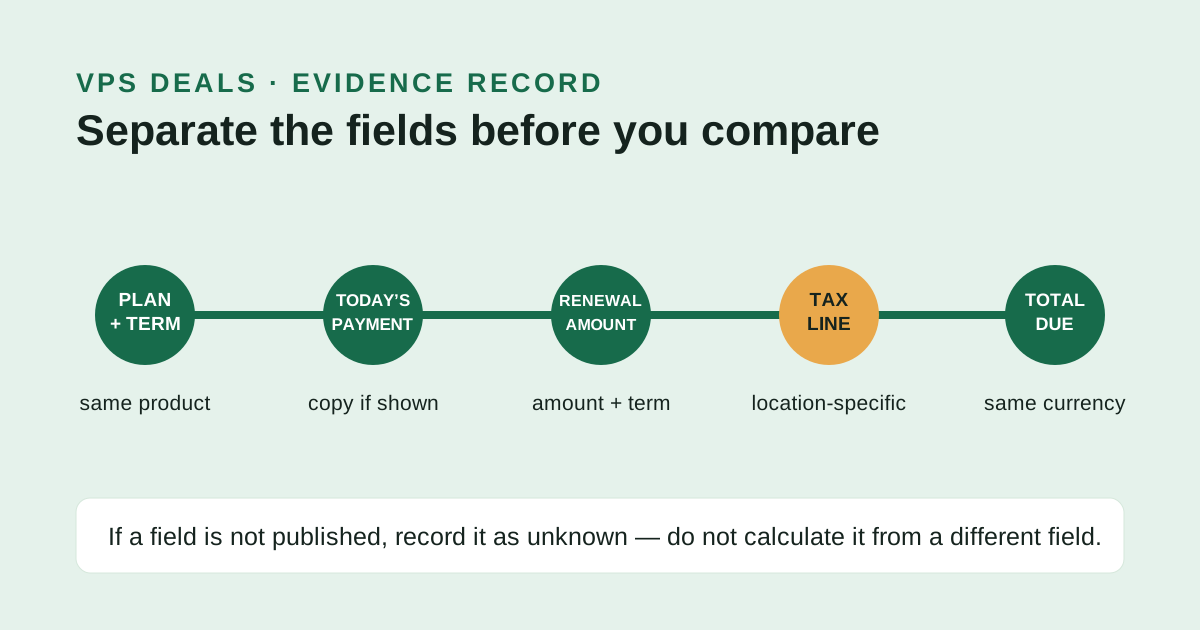
Start with the public-plan record
Capture the provider name, plan name, currency, and term before opening checkout. On its public VPS page, Hostinger presently labels its KVM plans with both a 24-month amount due today and a renewal rate for the same term. That is useful because the page identifies which number is current payment and which is renewal; it is not a tax calculation.
Public-source evidence — checked 2026-10-28T00:59:29Z
Hostinger VPS hosting: KVM plan cards state “Today you pay” for 24 months and “Renews at” a stated monthly rate for the same term; the page also says plans are paid upfront and the displayed monthly rate divides the plan total by the plan months.
IONOS cheap VPS: the public page says state and local sales taxes may apply. It does not publish one buyer-specific tax figure.
Make one record, in this order
- Term: write the duration beside the payment it covers.
- Today’s payment: copy the provider’s stated upfront amount, if shown.
- Recurring charge: copy it only when the provider calls it renewal or recurring and ties it to a term.
- Subtotal, tax, and total: copy the exact checkout labels, values, and currency together.
A checkout tax line belongs to a buyer location and can change the total due now. It does not change the published term by itself. If the checkout omits the renewal figure, retain “unknown” rather than subtracting tax, annualizing a monthly display, or reusing a different plan’s price.
Check the record before you compare VPS deals
- The current payment, renewal amount, and total must each name or share the same plan and term.
- The subtotal plus tax should reconcile to the checkout total only when all three are visibly supplied in the same currency.
- A provider-wide tax notice supports “may apply,” not a customer-specific tax amount.
Verification rule: a recurring VPS charge is verifiable only when the provider publishes both the amount and its term. An unpublished subtotal, tax, total, or renewal amount remains unknown.
Use the recurring charge and tax treatment guide for field separation, then the checkout tax-line guide to reconcile a live checkout.
Public sources checked 2026-10-28T00:59:29Z. Confirm the provider checkout before paying.