VPS deals reader question
How to read VPS taxes, fees, and the final amount due
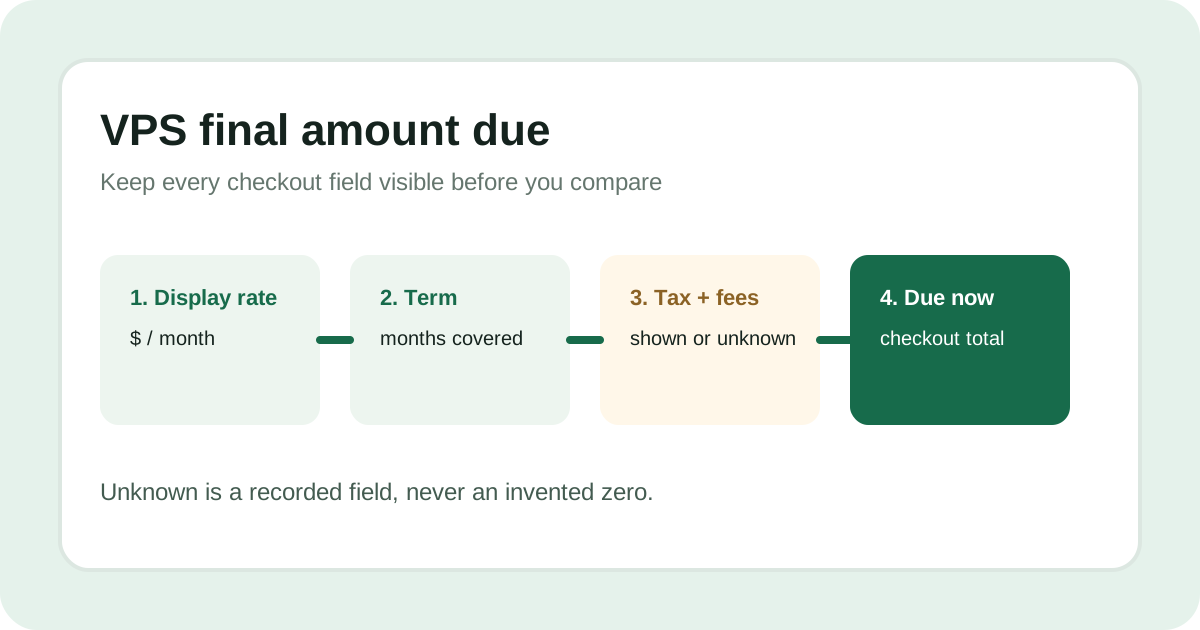
Answer: treat the advertised VPS rate, the pre-tax subtotal, taxes or fees, and the final amount due as separate fields. Pay only after checkout shows the currency, billing term, tax or fee line, and total charged now. If a provider says taxes may apply but does not show your amount publicly, record the tax and final total as unknown.
Start with the amount the provider displays
Copy the plan name, currency, display rate, payment term, and promotion window exactly. A “/month” label may be a comparison unit for a longer prepaid term. Hostinger states that its plans are paid upfront and that the monthly rate is the total plan price divided by the plan's months, so the display rate alone is not the amount charged now.
Find the tax and fee lines
Look for sales tax, VAT, setup fees, payment fees, add-ons, and credits in the checkout summary. IONOS's public VPS page says state and local sales taxes may apply. That statement is evidence that tax can change the total, but it does not publish a customer-specific tax amount; leave that field unknown until checkout shows it.
Record the final amount due
- Display rate: the advertised unit and currency.
- Term and upfront subtotal: the period covered and amount charged before tax or fees.
- Taxes and fees: every line item shown, or “unknown” when the public source does not expose it.
- Final amount due now: the checkout total in the same currency; do not derive it from a monthly label.
What today's official collection supports
This collection checked Hostinger's VPS page and IONOS's cheap VPS page at 2026-10-26T04:03:38Z. Hostinger publishes upfront billing language and renewal wording. IONOS publishes five VPS+ promotion cards, a one-year term, and a notice that state and local sales taxes may apply. Neither public page provides a universal customer-specific final checkout total.
Decision rule: compare like with like only after the same term, currency, taxes, fees, and amount charged now are visible. Unknown stays unknown; it is not a zero.
Continue with the upfront-total guide and checkout billing-term guide.
Last collection attempt: 2026-10-26T04:03:38Z. Confirm current taxes, fees, and the final total on the provider page and checkout before paying.